 Telegram Growth Studio
Telegram Channel & Group Scraper: Scrape Telegram Channel Members Instantly (Full Guide + Video)
Watch: How to Scrape Telegram Channel Members (Live Demo)
This video walks you through the complete scraping workflow: API setup, real-time logs, CSV export, and filtering tips. Follow along to see exactly how it works.
📝 Video Chapters & Transcript
Video Chapters:
- 0:00 - Introduction to Telegram scraping
- 1:15 - Getting API credentials from my.telegram.org
- 2:45 - Setting up the scraper tool
- 4:20 - Running a live scrape with real-time logs
- 6:10 - Exporting to CSV and cleaning data
- 7:30 - Best practices to avoid bans
Key Takeaways: This demo shows how to scrape public Telegram channels safely, export member data to CSV format, and clean the results for outreach campaigns. You'll see real-time scraping logs that help you monitor progress and catch errors immediately.
Telegram channels and groups host focused, niche audiences. Scraping public channels gives you usernames, recent messages, and activity signals you can use for research, recruitment, or outreach. This guide shows a fast, safe workflow — plus an embedded demo video that walks through a full scrape and export.
Telegram Scraping in 2026: What Changed
As of 2026, member-list scraping is noticeably harder than it was a year ago. Telegram now caps the number of participants the API returns for large groups, so many scrapers fall back to message-based collection — pulling active senders and reacters rather than full rosters. In 2026, FloodWait windows trigger sooner and last longer on fresh sessions, which makes account warm-up and proxy rotation essential rather than optional. The current best practice is to scrape only active participants (recent last_seen or recent posters), then verify usernames before any outreach, since stale exports now bounce at higher rates. Topic-based "forum" groups also split members across threads, so confirm you are reading the right peer. If you plan to pair scraping with messaging, review our Telegram mass DM guide and current scraping software options before scaling up.
What you need before you start
- Telegram API credentials:
api_idandapi_hashfrom my.telegram.org. - A scraper tool: either a GUI tool (point-and-click) or a script (Telethon/Pyrogram).
- Optional: regional proxies for US/EU targeting and scale.
- Legal check: only scrape public channels or groups you have permission to access.
Step-by-step: how to scrape telegram channels
- Register an app: visit my.telegram.org and create an API application. Save
api_idandapi_hash. - Authenticate an account: log in and verify via QR or SMS. Keep sessions secure.
- Choose target: supply the channel username or link (
t.me/example). - Run job: choose members, messages, or both. Start scraping and watch real-time logs.
- Export & clean: export CSV/JSON. Remove duplicates and bots, normalize usernames, and sort by
last_seen.
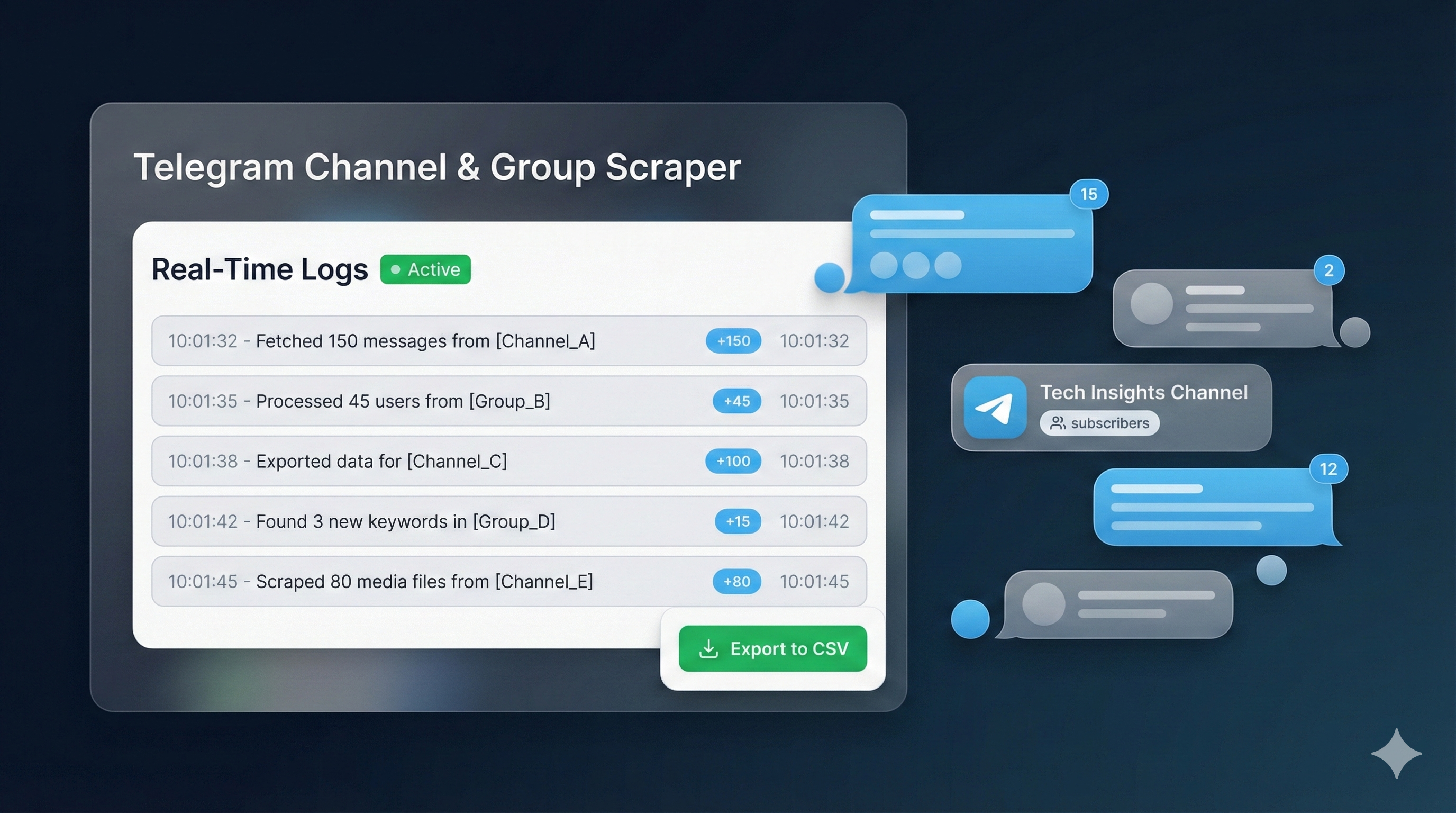
Real-time scraping logs (why they matter)
Logs show processed counts, API rate warnings, and per-account status. They let you detect failed batches immediately and re-run only the problematic slices — saving time and avoiding blind retries.
Export fields & cleaning
Recommended CSV columns: username, user_id, display_name, bio, last_seen, is_bot. Cleaning steps:
- Dedupe by
user_id - Remove bots (
is_bot = true) - Normalize usernames (lowercase, trim whitespace)
- Filter by recent activity (e.g.,
last_seenwithin 90 days)
Short Telethon snippet (example)
For developers, a minimal Telethon flow looks like this (conceptual):
from telethon import TelegramClient

api_id = YOUR_API_ID
api_hash = 'YOUR_API_HASH'

client = TelegramClient('session', api_id, api_hash)

with client:
    for msg in client.iter_messages('channel_username', limit=1000):
        print(msg.id, msg.sender_id, msg.text)
When to use GUI tools vs scripts
GUI tools give fast setup and ease of use; scripts give automation, scheduling, and custom filters. For large-scale or repeatable jobs, scripts with multi-account orchestration are best. Our software pages show examples of both approaches.
Best practices to avoid bans
- Only collect public data or obtain permission for private groups.
- Throttle requests, add randomized delays, and respect API limits.
- Warm up accounts before heavy use; rotate accounts and proxies for scale.
- Monitor logs and back off on repeated rate limit warnings.
- Use residential proxies for US/EU targeting to avoid IP blocks.
Filtering & targeting tips
After scraping, filter by last_seen, bio keywords, and profile completeness. Build cohorts of 200–500 users for initial outreach tests. Personalize messages with dynamic fields and measure reply and conversion rates.
Outreach workflow after scraping
Build small cohorts, warm up accounts with manual sends, then begin staged outreach. Track delivery, replies, and conversions. Remove negative responders and opt-outs immediately to maintain list quality.
Data security & compliance
Store exports in encrypted storage, restrict access, and keep audit logs for scraping jobs. Honor deletion or opt-out requests promptly and follow your local privacy laws (GDPR, CCPA, etc.).
Common issues & fixes
- Missing subscriber lists: some channels don't expose subscribers; scrape messages instead or request admin exports.
- Rate limits: detect via logs, pause and retry with exponential backoff.
- CSV problems: use UTF-8 encoding and consistent delimiters to prevent corruption.
- Account restrictions: rotate accounts and use proxies to distribute load.
Related services & links
Need help or extras? Useful pages on this site:
- Telegram Scraper Service — managed scraping & exports.
- Telegram Mass DM Bot — pair scraping with outreach safely.
- Mass DM — platform overview for outreach campaigns.
- Twitter Mass DM & Discord Mass DM.
- Telegram Accounts — phone-verified accounts for operations.
- Telegram Member Add — member add workflow after cleaning lists.
- Recovery & bans: Telegram Ban Service, Telegram Unban, and other platform unban pages.
FAQ
Can I scrape private channels?
No. Private channels require permission. Always follow Telegram's terms and local laws.
How long does a scrape take?
It depends on channel size and rate limits. Small channels: minutes. Very large targets: hours. Real-time logs show exact progress.
What data can I export?
You can export username, user_id, display_name, bio, last_seen, and is_bot flags to CSV or JSON. Clean and filter the data before using it for outreach.
How do I avoid getting banned?
Follow best practices: throttle requests, use randomized delays, warm up accounts, rotate proxies, and monitor rate limit warnings in real-time logs.
Is Telegram scraping still reliable in 2026?
Yes, but the approach has shifted. In 2026, the API limits how many participants large groups expose, so message-based scraping of active senders is often more dependable than pulling a full member roster. Warm up accounts, rotate proxies, scrape recently active users, and re-verify usernames before outreach to keep results clean.
Summary
Scraping Telegram is powerful when done responsibly: get API credentials, choose the right tool, monitor real-time logs, clean exports, and protect user privacy. For turnkey solutions and managed scraping, check our scraper service and software pages. Watch the video demo above to see the complete workflow in action.
Ready to scrape Telegram channels?
Get started with our managed scraping service or request a custom demo
🧰 Get Scraper 💬 Chat on Telegram