 Telegram Growth Studio
How to Send Bulk Messages on Telegram Without Getting Banned
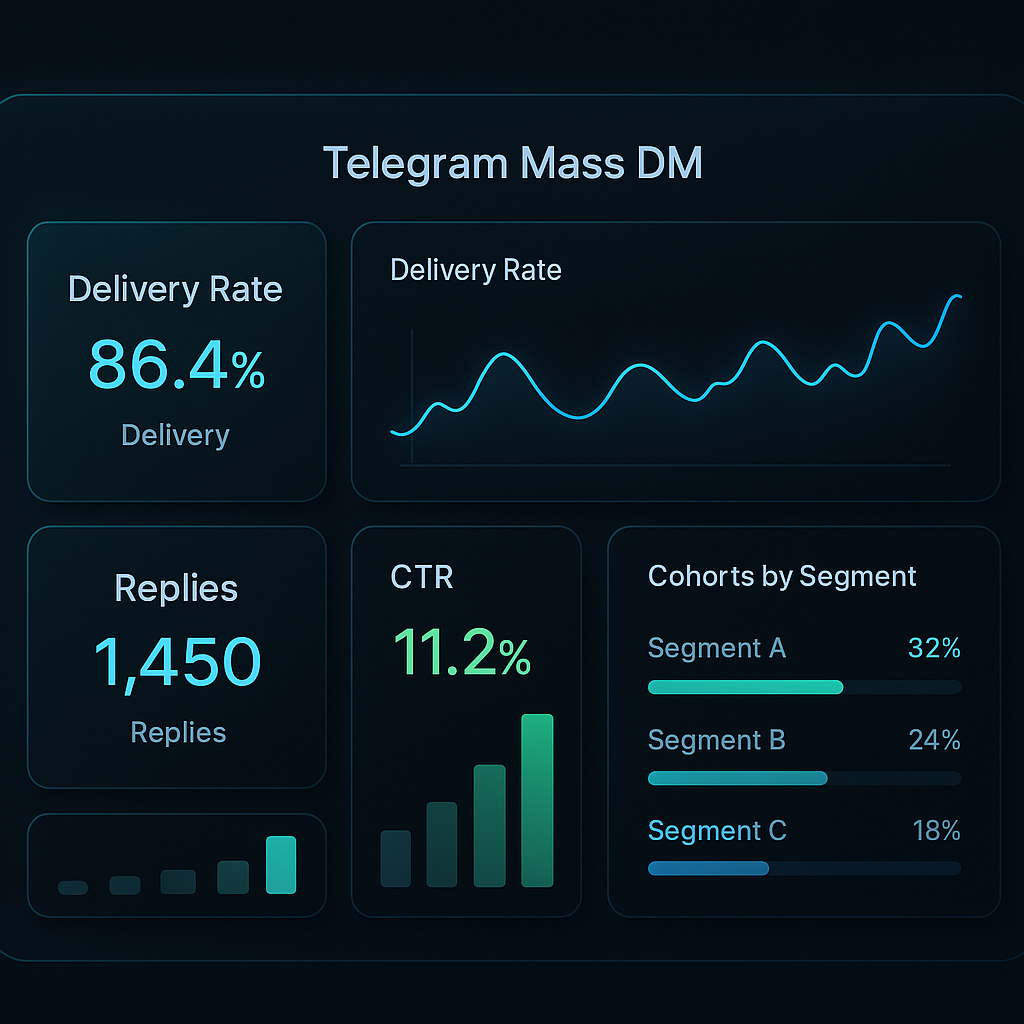
Sending bulk messages on Telegram can grow your business fast—but do it wrong and your account gets banned. Telegram's anti-spam system is aggressive. It detects unnatural behavior, flags suspicious accounts, and hands out restrictions within hours.
I've helped hundreds of clients run mass DM campaigns on Telegram. Some got banned immediately. Others sent 10,000+ messages without a single restriction. The difference? Strategy and setup.
This guide covers everything you need to know about Telegram bulk messaging: safe sending limits, account warmup, proxy configuration, message optimization, and the tools that actually work.
Quick Summary
- Safe daily limit: 20-30 messages for new accounts, 100-200 for aged accounts
- Required delay: 60-180 seconds between messages (randomized)
- Account warmup: 3-7 days of normal activity before campaigns
- Proxies: One unique residential/mobile IP per account
- Message variations: Create 3-5 versions to avoid duplicate detection
Telegram Bulk Messaging in 2026: What Changed
As of 2026, Telegram's anti-spam engine leans far more on behavioral and device-level signals than on raw send volume alone. The biggest shift is tighter scrutiny of brand-new accounts: the cooldown before a fresh account can reliably message non-contacts has lengthened, so warm-up matters more than ever. Telegram has also gotten better at clustering accounts by device fingerprint and IP history, which means cheap shared residential proxies now get accounts linked and banned in batches. In 2026, the safest campaigns pace sends below the limits in our table, rotate message variations aggressively, and route every account through its own mobile or clean residential IP. Premium senders and accounts with real two-way conversation history clear spam filters noticeably better. For the current managed approach, see our Telegram mass DM guide and the deliverability checklist.
Why Telegram Bans Accounts for Bulk Messaging
Before diving into tactics, you need to understand what triggers Telegram's spam detection. The platform uses multiple signals to identify automated behavior:
Sending patterns: Messaging too fast, at regular intervals, or to many strangers in a short period raises red flags. Telegram expects human-like behavior with natural pauses and varied timing.
Content repetition: Sending identical messages to multiple users is a clear spam signal. Even small variations help, but the system gets smarter every year at detecting templates.
User reports: If recipients mark your messages as spam, your account gets flagged quickly. Just 3-5 reports can trigger restrictions.
Account signals: New accounts, accounts without profile photos, and accounts that only send outbound messages without receiving replies all score lower in Telegram's trust system.
Technical fingerprints: Multiple accounts on the same IP address or device get linked together. When one falls, others often follow.
Step 1: Set Up Your Accounts Properly
The foundation of successful bulk messaging is your accounts. Skip this step and nothing else matters—you'll get banned regardless of your other tactics.
Use Aged Accounts
New Telegram accounts face severe restrictions. They can't message non-contacts, can't join many groups, and get flagged for any unusual activity. For bulk messaging, you need accounts that are at least 2-4 weeks old.
Options for getting aged accounts:
- Create accounts yourself and wait (free but slow)
- Buy pre-aged accounts in TDATA or SESSION format (faster but costs money)
- Use a combination—buy some aged accounts while warming up new ones
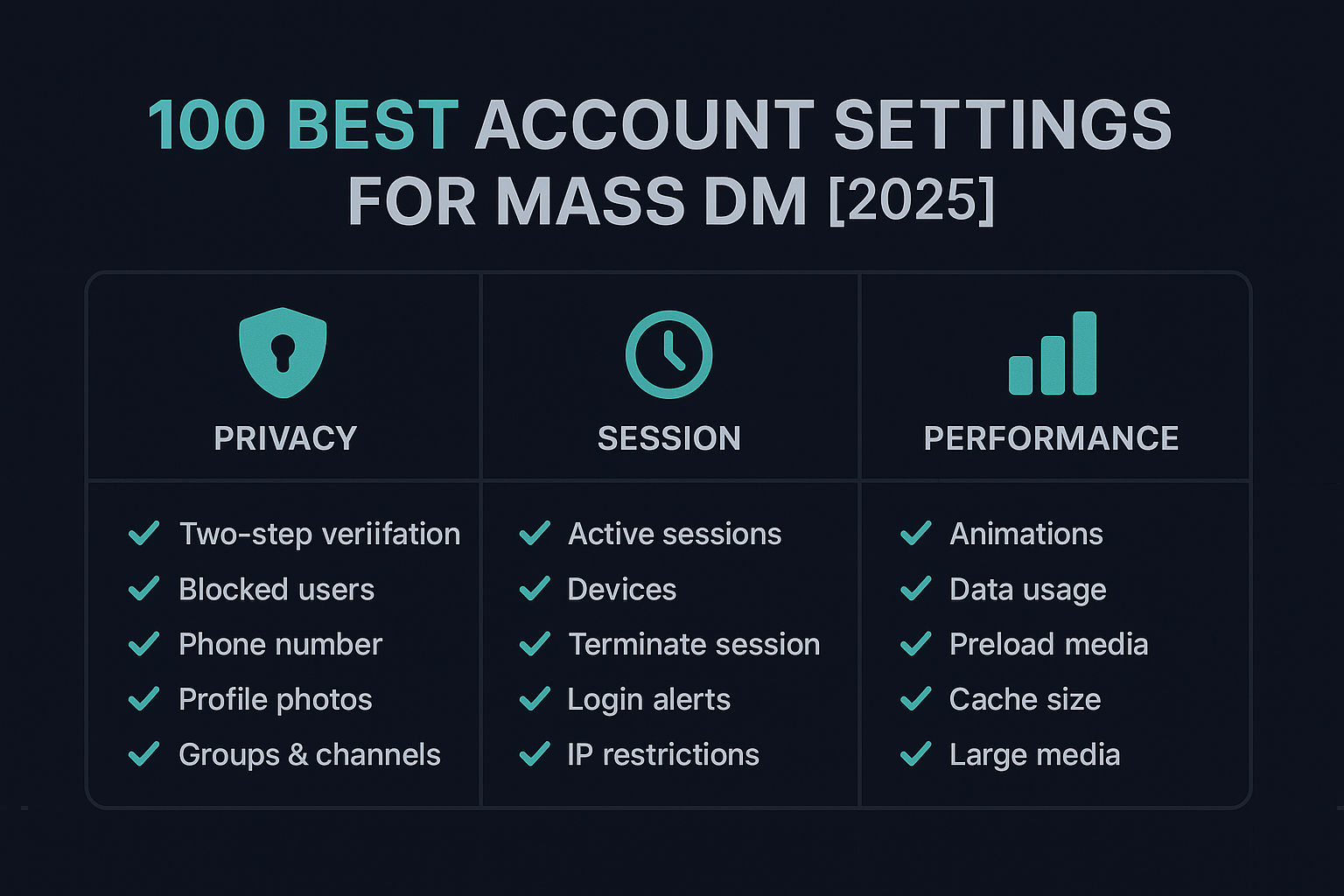
Complete Your Profiles
Empty profiles look suspicious. Before any campaign, make sure each account has:
- A realistic profile photo (not stock images—they're often detected)
- A proper display name
- A short bio that matches your outreach context
- Username set up
Step 2: Configure Proxies Correctly
This is where most people fail. Using the same IP for multiple accounts is the fastest way to get mass-banned.
Telegram tracks IP addresses and links accounts together. If Account A gets banned and Account B shared the same IP, Account B becomes high-risk immediately.
Proxy Types for Telegram
Mobile proxies (best): These rotate through real mobile carrier IPs. Telegram trusts mobile IPs more because that's how most legitimate users connect. Expensive but safest.
Residential proxies (good): Real home IPs from ISPs. Work well for Telegram but cheaper residential proxies often have many users sharing IPs, which can cause problems.
Datacenter proxies (risky): Cheap but easily detected. Telegram knows these aren't real users. Only use for testing, never for actual campaigns.
Proxy Configuration Rules
- One unique IP per account—never share
- Match proxy location to account phone number region when possible
- Use SOCKS5 protocol (Telegram supports it natively)
- Test proxies before campaigns—dead proxies cause login issues that look suspicious
Need help with proxy setup? Check our complete proxy configuration guide.
Step 3: Warm Up Accounts Before Messaging
Account warmup is non-negotiable. Jumping straight into bulk messaging with a fresh or newly-acquired account guarantees restrictions.
Warmup means using the account like a normal person for several days. This builds trust with Telegram's system.
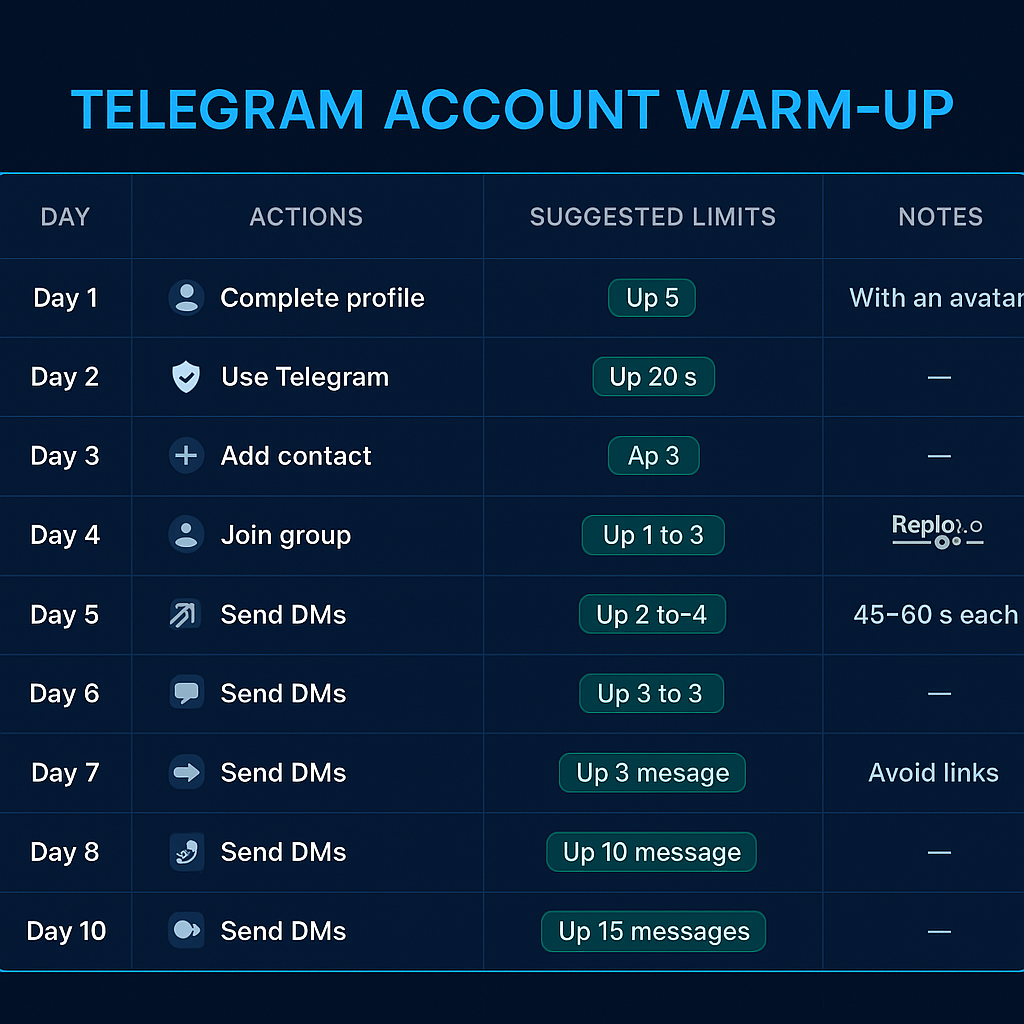
7-Day Warmup Schedule
Days 1-2: Basic setup. Add profile photo, bio, username. Join 3-5 public groups relevant to your niche. Read messages, don't send any.
Days 3-4: Light engagement. Reply to a few messages in groups. Start 1-2 conversations with contacts. Subscribe to 5-10 channels.
Days 5-6: Increased activity. Send 5-10 messages to contacts. React to posts in channels. Share content in groups where allowed.
Day 7: Test with low volume. Send 10-15 messages to your target list. Watch for any restrictions. If clean, gradually increase over the next week.
For detailed warmup strategies, see our account warmup plan.
Step 4: Build Your Target List
Who you message matters as much as how you message them. A targeted list of interested users will respond positively. A random list will report you as spam.
Where to Find Targets
Telegram groups: The most common source. Find groups where your target audience hangs out and extract member lists. Our scraper service guide explains how.
Channel subscribers: Harder to access but often higher quality. Some channels make subscriber lists visible.
Your existing contacts: Phone numbers from your CRM or email list. Telegram can match these to accounts.
Filtering Your List
Don't message everyone you scrape. Filter for quality:
- Remove bots: Accounts without photos, generic names, or no activity are often bots. Messaging them wastes volume and can trigger spam detection.
- Filter by activity: Users who were online recently are more likely to see and respond to your message.
- Check for premium: Premium users tend to be more engaged and responsive.
- Remove duplicates: Messaging the same person from multiple accounts guarantees reports.
Step 5: Write Messages That Don't Look Like Spam
Content is where campaigns succeed or fail. Telegram's detection looks for patterns, and recipients decide whether to report you based on how your message feels.
What to Avoid
- ALL CAPS or excessive punctuation!!!
- Shortened URLs (bit.ly, etc.)—these scream spam
- Emojis overload 🚀💰🔥💯
- Obvious sales language ("LIMITED TIME OFFER")
- Identical messages to everyone
What Works
Personalization: Use the recipient's name or username. Reference something specific about the group you found them in. Make it feel like a real message.
Value first: Lead with what you can offer them, not what you want. Ask a question. Provide useful information. Build conversation before pitching.
Natural language: Write like you talk. Short sentences. Contractions. A typo or two actually helps (seriously—perfect text looks automated).
Multiple variations: Create 3-5 different versions of your message. Rotate between them. Even better, use spin syntax to generate unique variations automatically.
Message Template Example
Instead of:
"🚀 AMAZING OPPORTUNITY! Join our crypto trading group NOW for FREE SIGNALS! 💰💰💰 Click here: bit.ly/xyz"
Try:
"Hey {name}, saw you're in the [Group Name] community. We're running a small trading group focused on [specific strategy]. Not selling anything—just sharing what's working for us. Interested in checking it out?"
Step 6: Set Safe Sending Limits
Volume is the most common mistake. People want to send thousands of messages immediately. That's exactly what gets accounts banned.
Safe Daily Limits
| Account Type | Messages/Day | Messages/Hour |
|---|---|---|
| New account (< 2 weeks) | 10-20 | 5-10 |
| Aged account (2-4 weeks) | 30-50 | 15-20 |
| Warmed account (1+ month) | 100-200 | 30-50 |
| Trusted account (good history) | 200-300 | 50-70 |
Timing and Delays
Between messages: Minimum 60 seconds, ideally 90-180 seconds. Randomize the delay—don't send exactly every 60 seconds.
Session length: Don't run 24/7. Send during "business hours" for your target timezone. Take breaks. Real humans don't message constantly.
Weekly pattern: Reduce volume on weekends. Vary your daily totals. Consistent identical volume every day looks automated.
Too complicated? Our managed service handles all of this for you. We send from our own warmed accounts with proper pacing – you just get leads. Get started for $35/1K →
Video Tutorial: Complete Walkthrough
Watch this step-by-step tutorial showing how to set up and run a Telegram bulk messaging campaign:
Tools for Telegram Bulk Messaging
You can send bulk messages manually, but it's painfully slow and error-prone. Most serious campaigns use automation tools.
What to Look For
- Multi-account support: Manage dozens of accounts from one interface
- Proxy integration: Assign unique proxies to each account
- Randomized delays: Built-in timing variation to mimic human behavior
- Message spinning: Automatic variation of message content
- Analytics: Track delivery, replies, and account health
Our Automation Software
We built our Telegram automation software specifically for mass DM campaigns. It includes all the safety features mentioned in this guide, plus 40+ additional modules for scraping, reporting, and account management.
Telegram Automation Software
$499 one-time · Lifetime updates · 43+ modules including Mass DM, Scraper, Member Adder
What to Do If You Get Restricted
Even with perfect setup, restrictions happen. Here's how to handle them:
Temporary limit ("You can only message mutual contacts"): This usually lifts after 24-48 hours. Stop all activity on that account. Wait it out. Don't try to work around it.
Spam warning: More serious. Reduce volume significantly when it lifts. The account is now flagged and will be watched more closely.
Full ban: The account is likely done. Don't waste time trying to recover it. Focus on protecting your other accounts—make sure they're not linked by IP or device.
Learn more about Telegram ban risks and prevention.
Done-For-You Service vs DIY Software
Don't want to deal with setup, accounts, and technical details? Our managed Mass DM service handles everything. Or get the software and run unlimited campaigns yourself.
📩 Mass DM Service
- We provide warmed accounts
- Targeting & list building included
- Message optimization
- Safe delivery protocols
- Real-time reporting
Volume discounts available
🧰 Lifetime Software
- Unlimited bulk messaging
- 43+ automation modules
- Multi-account management
- Built-in proxy support
- Lifetime updates & support
Use your own accounts
Not sure which option? Chat with us on WhatsApp – we'll recommend based on your needs.
🚀 Ready to Launch Your Campaign?
Skip the learning curve. Let our team handle everything or get the software and start today.
Average response time: under 2 hours
Frequently Asked Questions
How many messages can I send on Telegram per day?
It depends on your account's age and trust level. New accounts should stay under 30 messages per day. Aged, warmed accounts can safely send 100-200 messages with proper pacing. Never blast hundreds of messages from a fresh account—that's an instant ban.
Why does Telegram ban accounts for bulk messaging?
Telegram's anti-spam system protects users from unwanted messages. It detects automated behavior through sending patterns, content repetition, and user reports. Accounts that trigger these signals get restricted or permanently banned.
Do I need proxies for Telegram bulk messaging?
Yes, absolutely—especially if you're managing multiple accounts. Telegram links accounts that share IP addresses. When one account gets banned, connected accounts often follow. Use one unique residential or mobile proxy per account.
What is account warmup and why does it matter?
Warmup means using a new account like a normal person for several days before bulk messaging. This builds trust with Telegram's system. Accounts that skip warmup get flagged immediately when they start mass messaging.
Can I automate Telegram bulk messaging?
Yes, but the automation must be configured carefully. Good tools include randomized delays, message variations, and proxy rotation. Bad automation—like sending identical messages every 30 seconds—leads to quick bans.
Are Telegram's bulk messaging limits stricter in 2026?
Yes. In 2026, Telegram applies longer trust cooldowns to new accounts and detects device and IP clustering faster, so the same volume that worked a year ago now gets accounts linked and flagged sooner. The practical fix is unchanged: longer warm-up, lower per-day sends, one clean mobile or residential IP per account, and rotated message variations.
Related Guides
- Telegram Mass DM Service – Our managed campaign service
- Telegram Mass DM Bot: Complete Setup Guide
- How to Scrape Telegram Group Members
- Where to Buy Telegram Accounts Safely
- Telegram Mass Report Tool Guide
- Proxy Configuration for Telegram
- Understanding Telegram Ban Risks